
GnuCashの入力画面で、各項目の幅は勘定科目ごとに記憶される。
解像度の変更などをして全ての画面で一括変更したくなっても、できない。
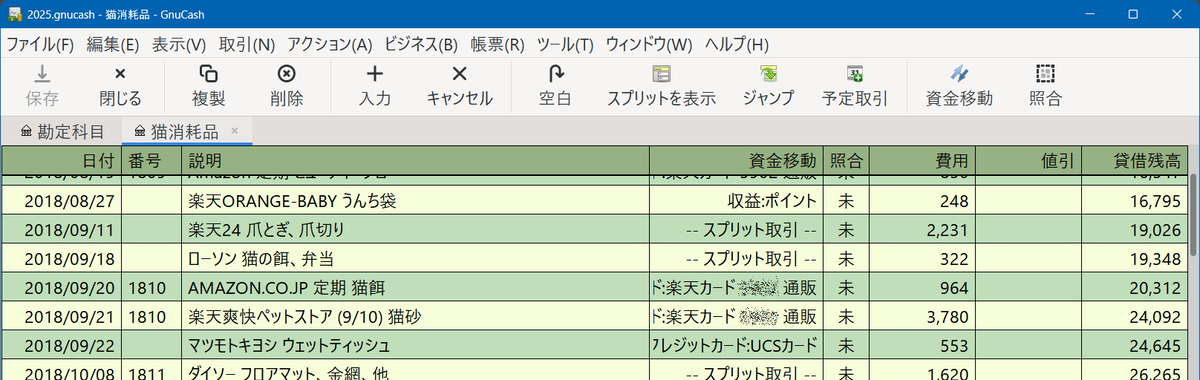 この項目の幅は 次のファイルに記録されている
C:\Users\ユーザー名\AppData\Roaming\GnuCash\books\hoge.gnucash.gcm
[Register 1ec127f89336a19b2c5def02b547205e]
date_width=162
num_width=81
reconcile_width=62
balance_width=143
transfer_width=234
debit_width=143
credit_width=143
| date_width | 日付 |
| num_width | 番号 |
| reconcile_width | 照合 |
| transfer_width | 資金移動(相手勘定) |
| debit_width | 費用、入金(借方) |
| credit_width | 値引、出金(貸方) |
| balance_width | 貸借残高 |
この [Register ***] が勘定科目ごとの画面に対応している。
調べるのも面倒なので、もうすべてのRegisterを消してしまうのが一番良い
GnuCashを終了してから、.gcmファイルを編集して、再起動する。
新規に開く画面はすべてデフォルトの項目幅になる。
